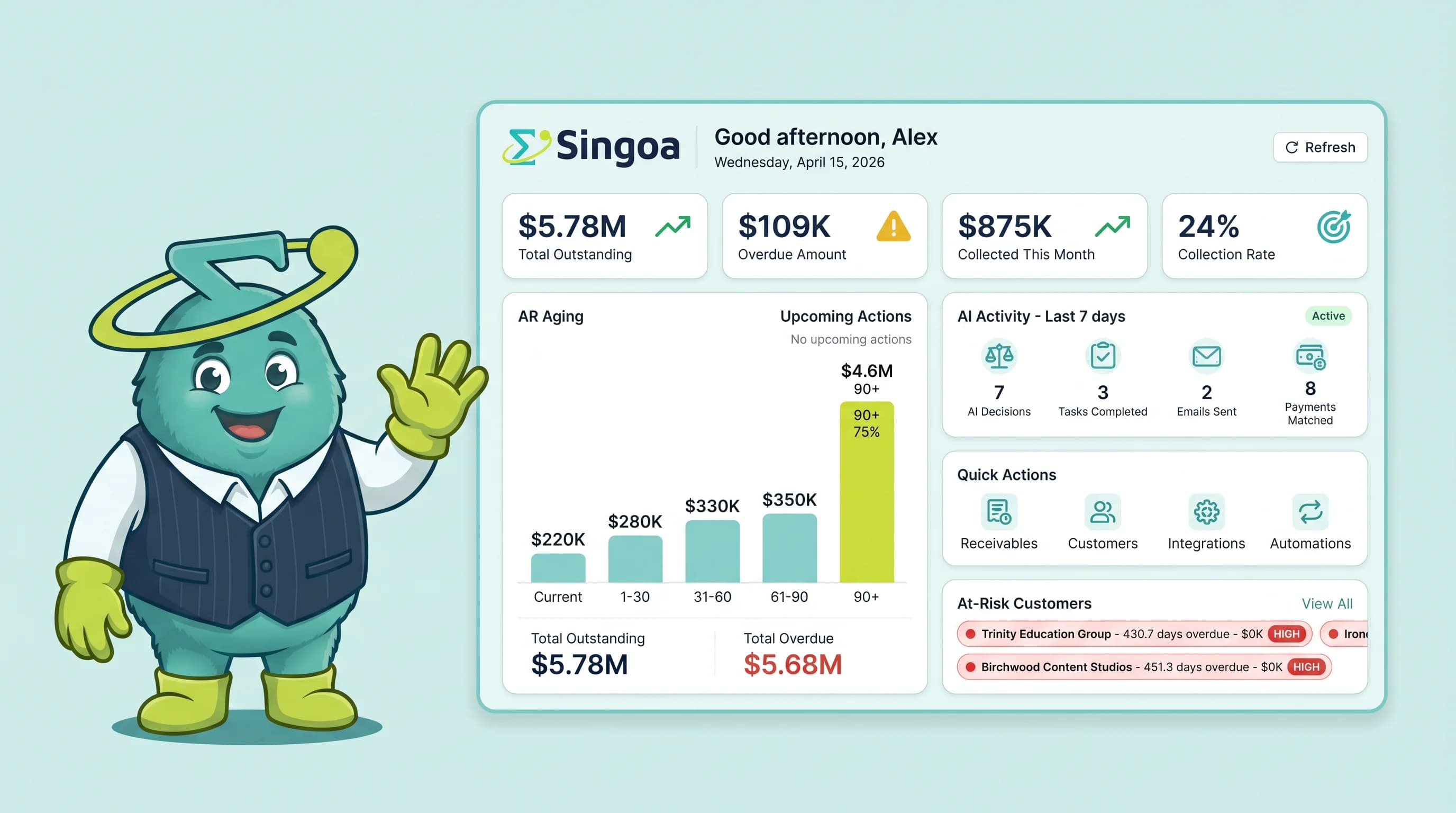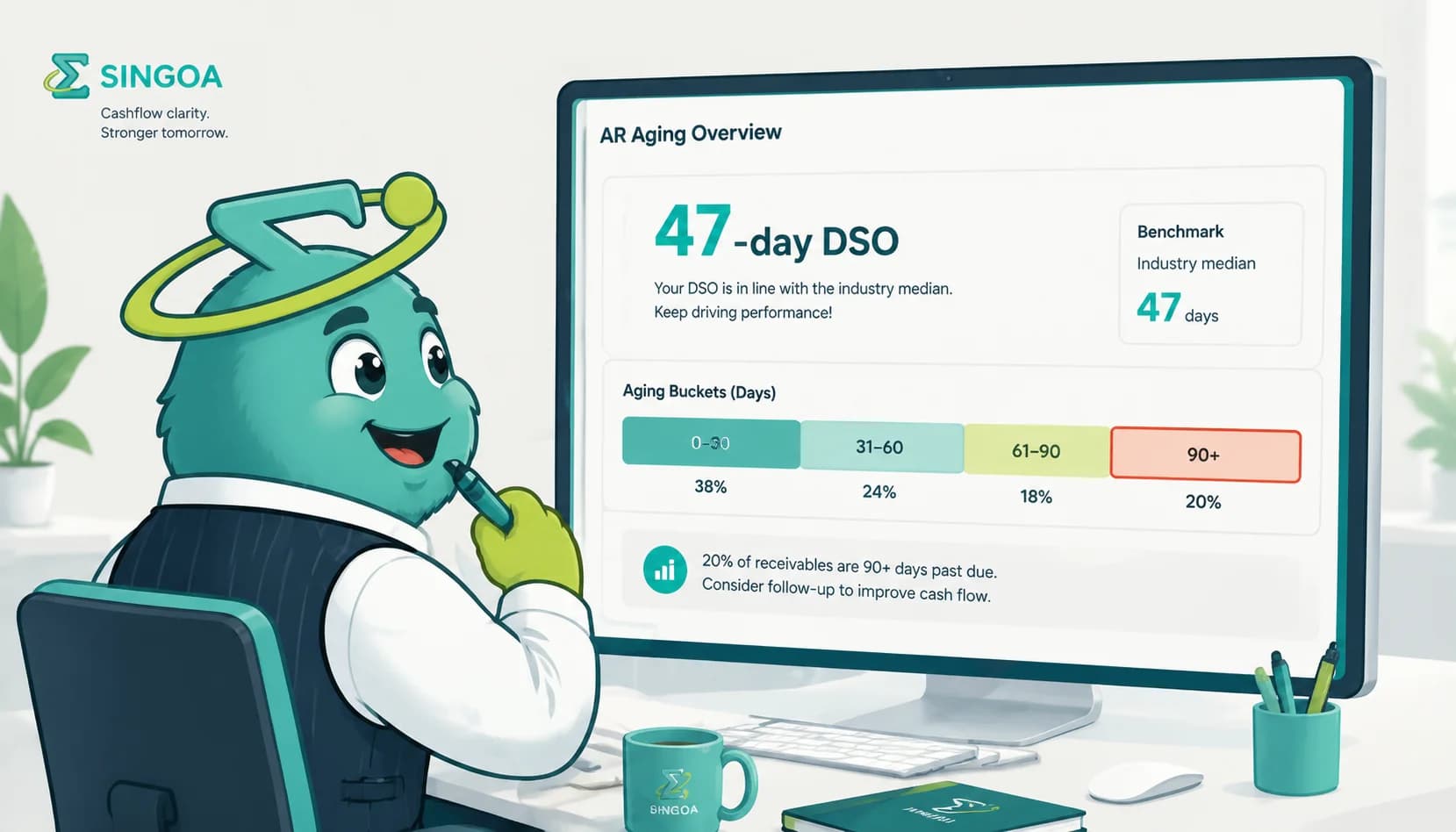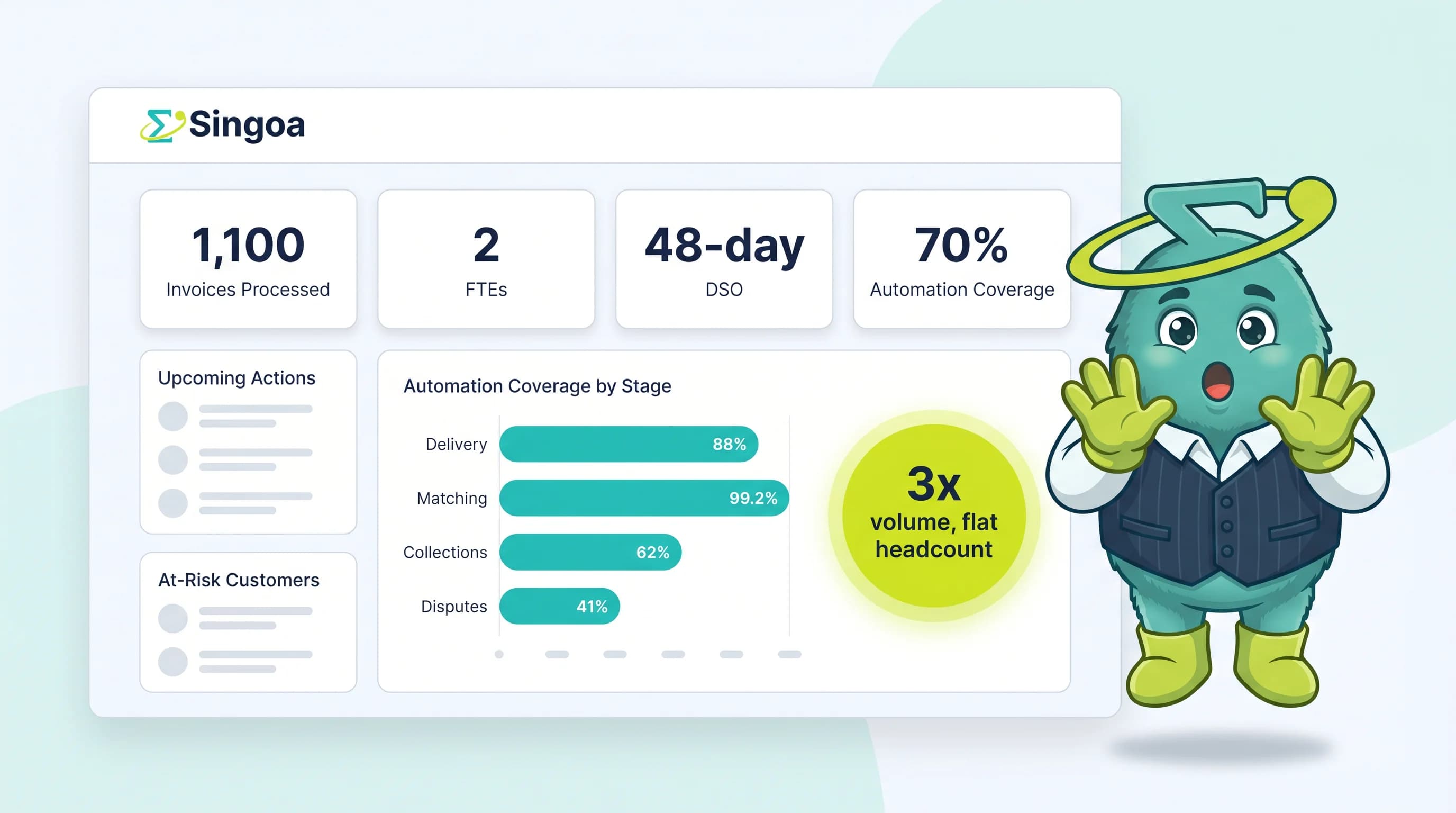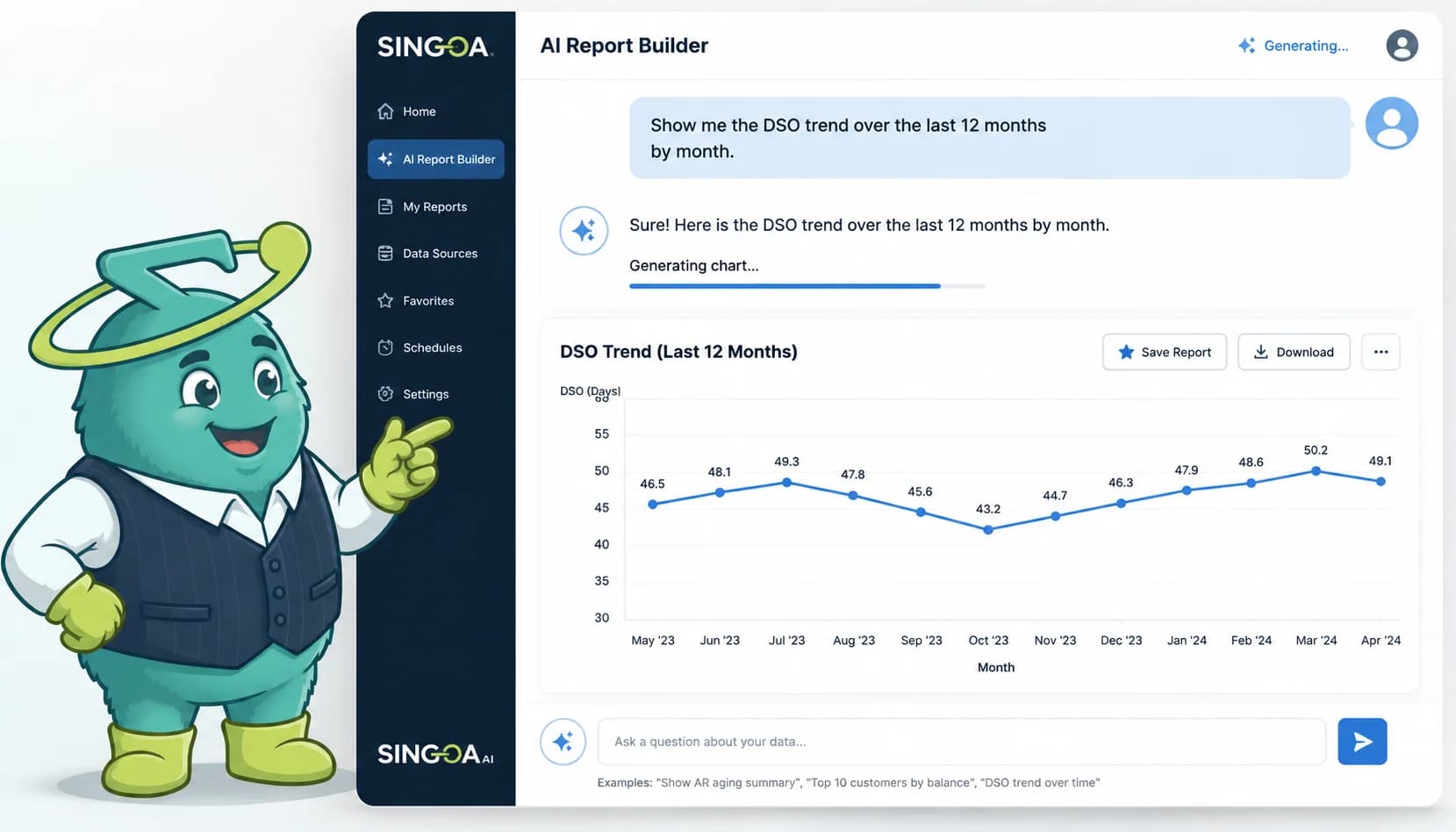

Quick Answer
An AI financial report generator for AR connects to your ERP, interprets plain-English questions like 'which customers drove DSO up this week?', and produces live aging, DSO, and cash-forecast reports in seconds, replacing 8 to 15 hours of monthly Excel work.
Key Takeaways
- Mid-market controllers spend 8 to 15 hours per month rebuilding the same AR reports in Excel, per IOFM 2024 benchmarks.
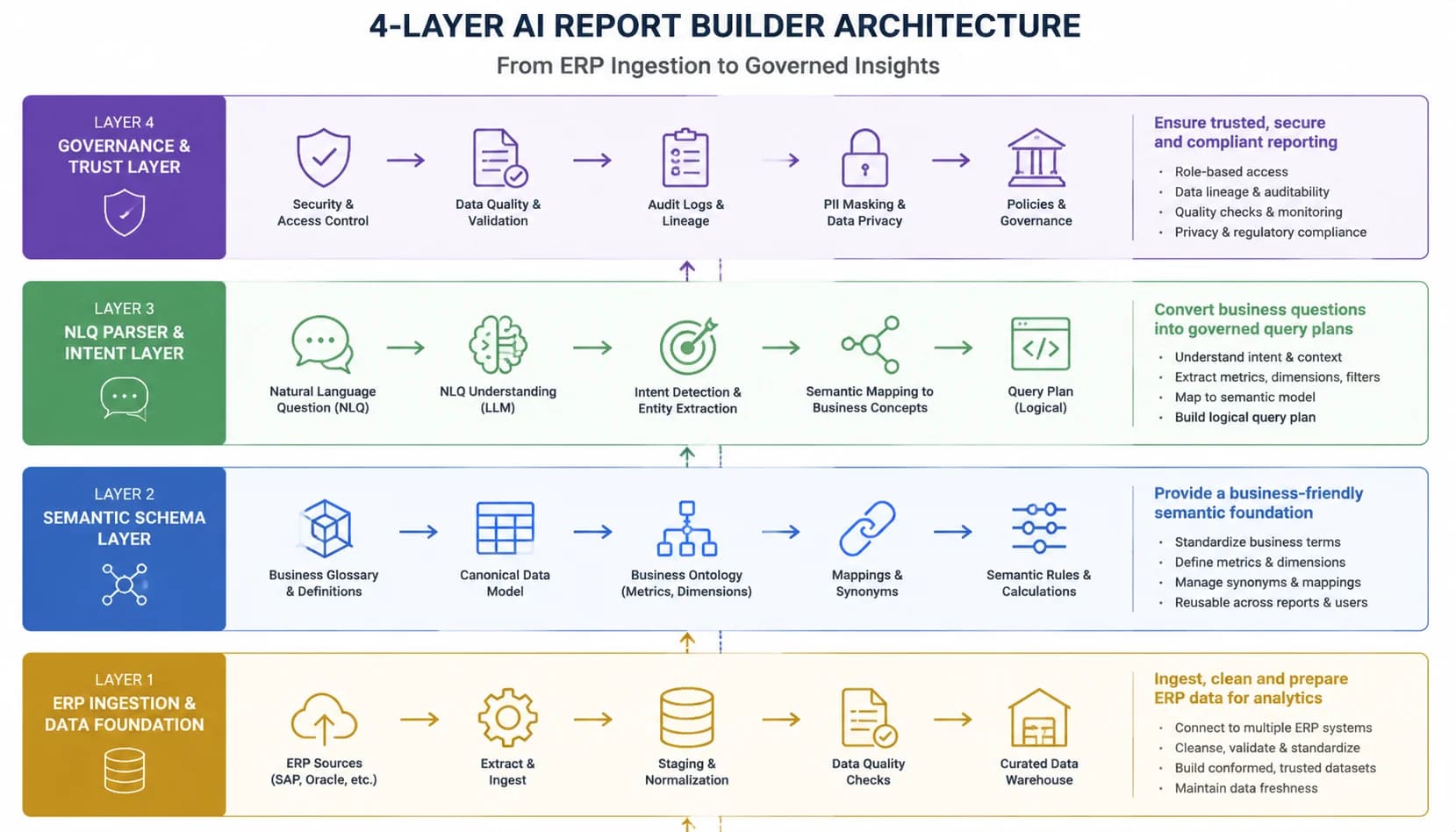
- A real AI report generator has 4 layers: ERP ingestion, semantic AR schema, natural-language parser, and a SOC 2 governance layer.
- Natural-language querying turns half-day ad-hoc CFO questions into 2-minute Slack answers grounded in the AR schema.
- Time-to-report drops from hours to seconds, version-control errors fall near zero, and stale-data risk is eliminated.
- Custom segmentation and non-standard fiscal calendars still need analyst review; routine aging, DSO, and CEI run unattended.
See your AR reporting ROI
Plug in your monthly invoice volume and reporting hours to see how much time AI Report Builder reclaims for your controller team.
The controller's Sunday-night Excel problem
It is 9 PM on the Sunday before month-end. The controller of a $80M distributor has the same three browser tabs open she had last month: NetSuite's AR aging export, a saved Excel workbook with twelve pivot tables, and an email draft to the CFO that starts with the words 'Attached please find'. She will spend the next four hours rebuilding a report she has already built eleven times this year.
According to the IOFM 2024 AR Operations Benchmark, mid-market finance teams burn 8 to 15 hours every month on routine AR reporting, and roughly 70% of those hours are spent on tasks the underlying ERP could technically answer. The bottleneck is not data. The bottleneck is the gap between how a CFO asks a question and how a spreadsheet was designed to answer it.
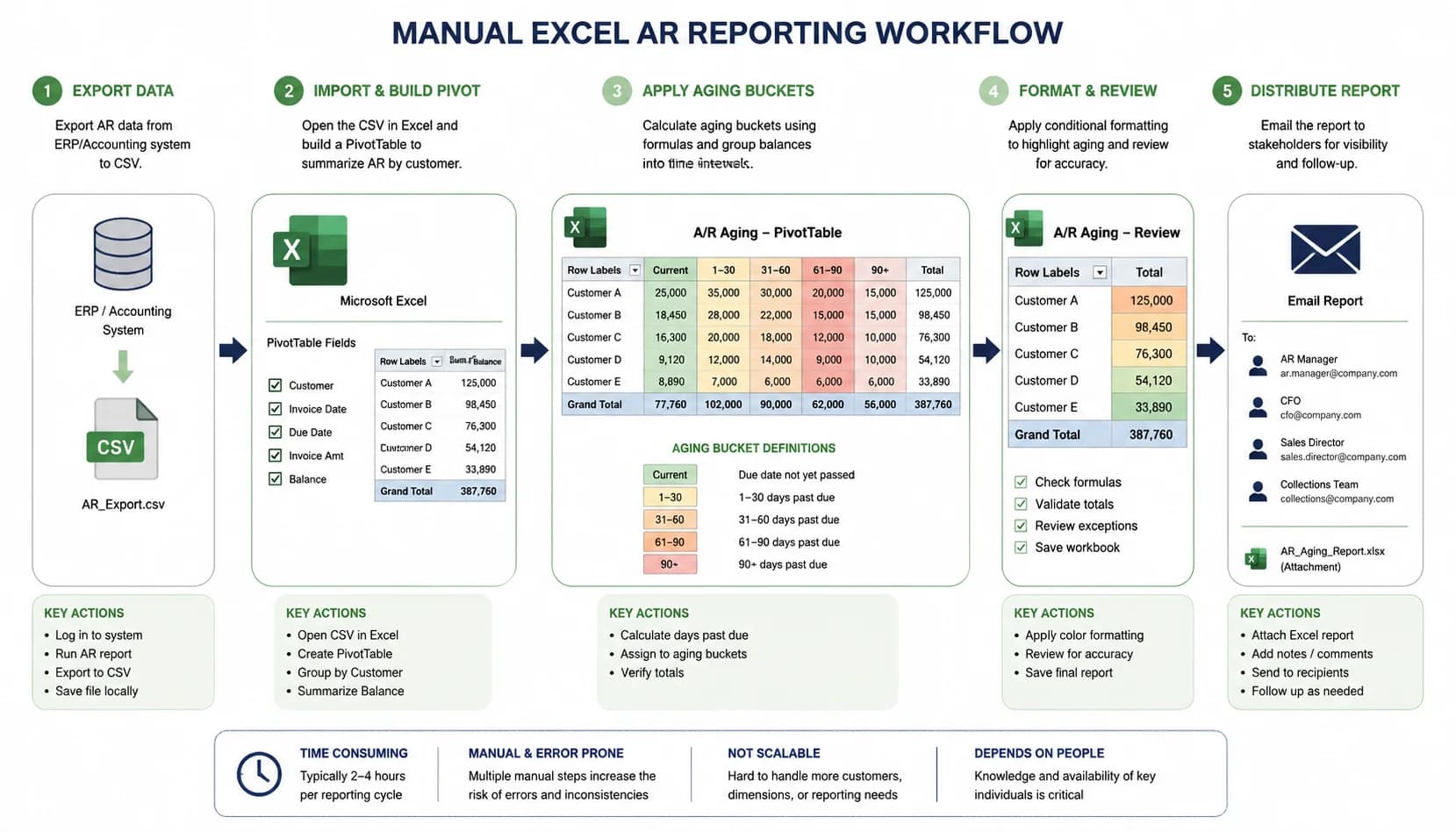
The pattern repeats every month-end. Export the AR aging detail from NetSuite or Sage Intacct as CSV. Open the saved workbook with twelve pivot tables. Refresh the data source. Color-code the 30/60/90 aging buckets in red, yellow, and green. Update the DSO trend chart by typing this month's value into row 47. Save as a new filename with the date appended. Attach to an email. Send to the CFO. Wait for the reply that always arrives by Tuesday: 'Can you break this out by sales region?'
That single follow-up question costs another half-day. The controller pulls a fresh export, builds a new pivot, validates the regional totals against the original aging, and resends. By the time the CFO opens the answer on Wednesday morning, two more customers have paid and one more invoice has aged into the 60-day bucket. The report is already stale. The cost of this workflow is not just hours. It is the inability to [scale AR operations without adding headcount](/blog/scale-ar-operations-without-adding-headcount) when invoice volume grows.
8-15 hours
Hours mid-market finance teams spend monthly on routine AR reporting
~70%
Share of those hours spent on tasks the ERP could technically answer
4-6 hours
Time to rebuild a board-deck DSO chart in Excel from CSV export to email
The 4-layer architecture that replaces your spreadsheet
SINGOA's Report Builder is composed of four layers: ERP-to-AR data ingestion, a semantic AR schema, a natural-language parser plus report generator, and an ERP-aware governance layer that controls write-back, permissions, and audit logging. Each layer addresses a specific failure mode of Excel-based AR reporting.
Layer 1: Real-time ERP ingestion
The system maintains a live connection to NetSuite, Sage Intacct, QuickBooks Online, Microsoft Dynamics 365 Business Central, or Acumatica through native API integrations, with incremental sync intervals as short as 5 minutes. When a cash receipt posts in the ERP at 2:14 PM, the next aging query at 2:17 PM reflects it.
There is no nightly batch window and no manual refresh button. This single change eliminates the stale-data risk that haunts every CSV-driven workbook and removes the controller's Tuesday-morning question, 'is this number current?'
- Native API connectors for NetSuite, Sage Intacct, QuickBooks Online, Dynamics 365 BC, and Acumatica
- Incremental sync intervals as short as 5 minutes
- Bi-directional write-back gated by the governance layer
- Automatic backfill on initial connection, then delta sync forever after
- Connection health monitoring with alerting before any report runs stale
Layer 2: Semantic AR schema
ERPs disagree on naming. NetSuite calls a customer record a 'customer', Dynamics calls it an 'account', and Acumatica calls it a 'business account'. Aging buckets are configured per tenant. Payment terms live in different tables across systems. The semantic layer normalizes these quirks into a single canonical model with four primary entities: invoice, payment, dispute, and customer.
Reports written against the semantic schema work the same whether the underlying ERP is QuickBooks for a $20M company or NetSuite for a $200M company. SINGOA's published [ERP integrations](/integrations) all map to this same schema, which is why migration between ERPs does not break your reports.
- Canonical four-entity model: invoice, payment, dispute, customer
- Per-tenant aging bucket overrides without breaking shared report definitions
- Payment-term harmonization across ERP-specific table layouts
- Custom segmentation defined once in the schema and reused across every report
- Schema versioning so a definition change is auditable, not silent
Layer 3: Natural-language parser and report generator
The parser converts a plain-English question into a structured query against the semantic schema, picks an appropriate visualization (table, line chart, bar chart, cohort heatmap), and renders the result. Because the parser is grounded in the AR schema rather than in raw SQL, it cannot invent fields that do not exist or hallucinate a metric.
If you ask for a number the schema cannot support, the system asks a clarifying question instead of guessing. The same query phrased the same way returns the same answer next week and next quarter, because the grounding has not moved.
- Schema-grounded query construction with zero free-form SQL emission
- Automatic visualization selection based on the question shape
- One-line provenance string on every chart showing entities, filters, and time range
- Disambiguation prompts when a question maps to more than one valid interpretation
- Saved prompts and scheduled runs for repeatable month-end packages
Layer 4: ERP-aware governance
Financial data is regulated data, and a tool that touches AR records needs the same controls as the ERP itself. The Report Builder enforces role-based access at the field level (a sales-region manager sees only their region's customers), supports period locking so that prior-period reports cannot be silently restated, and maintains an immutable audit log of every query and every export.
Per the Gartner Finance Automation Outlook 2024, finance leaders rate governance and ERP-aware integration as the top two requirements when evaluating AI reporting tools, ahead of any visualization or AI capability. The architecture above is built to satisfy both first. The natural-language and time-savings benefits are the consequence, not the headline.
- SOC 2 Type II controls with data encrypted at rest and in transit
- Field-level role-based access (regional managers see only their region)
- Period locking that prevents silent restatement of prior periods
- Immutable audit log of every query, export, and definition change
- Compliance-grade evidence pack exportable for SOX or auditor review
Replace your month-end spreadsheet
Watch SINGOA's AI Report Builder generate a live aging report, DSO trend, and cash forecast from a single natural-language prompt.
Business impact: time saved, errors avoided, faster decisions
Time reclaimed: 8-12 hours per controller per month
Routine month-end reporting (aging, DSO trend, collections effectiveness index, top 20 past-due customers) drops from 8 to 12 hours of pivoting and formatting to under 30 minutes of review. Ad-hoc CFO questions drop from a 4-hour half-day investment to a sub-2-minute Slack interaction. Board-deck DSO trend charts that previously required exporting, charting, and pasting into PowerPoint render in 30 seconds with the same branding rules applied automatically.
Per the AFP 2024 Treasury Benchmarking Survey, finance teams that automated AR reporting reclaimed an average of 11 hours per month per controller. Reviewing the [AR KPIs every CFO should track](/blog/accounts-receivable-kpis-cfo-track) becomes a 10-minute exercise rather than a 2-day reconciliation project.
Monthly routine reporting time per controller, manual vs. AI
8-12 hours -> under 30 min
Average hours reclaimed per controller per month after automation
11 hours
Version-control errors collapse to near zero
Version-control errors collapse because the report is always a query against live data, never a saved file. The three colleagues who quoted three different DSO numbers in the same board meeting now query the same Report Builder and get the same number. When a late cash receipt posts on the morning of the board meeting, the chart updates before the meeting starts.
Pricing tracks the value. SINGOA's [$1-3 per invoice pricing](/pricing) means the reporting workflow pays for itself well before headcount math even enters the conversation.
3 -> 1
DSO numbers in circulation for the same period after consolidation
4-6 sessions
Quarterly reconciliation meetings eliminated per finance org
Faster decisions worth more than the labor savings
A controller who can answer a CFO question in 2 minutes earns the trust to be in the room when next quarter's credit policy is set. A collections manager who receives an automated 7 AM Monday aging snapshot starts the week with a prioritized call list rather than building one. A CFO who can see DSO move in near-real time can act on a customer-payment trend in week 2 of a quarter instead of week 10.
The economic value of these compounded decisions usually exceeds the labor savings by a factor of three to five. Faster decisions are the second-order benefit, but they are the one that finance leaders cite most often when justifying the investment internally.
4 hours -> 2 minutes
Ad-hoc CFO question turnaround, manual vs. AI
Week 10 -> Week 2
Lead time on detecting a customer-payment trend shift
Three real-world scenarios from a 2026 month-end
Real-World Scenario
Board-deck DSO trend in 30 seconds
The Situation
It is 4:15 PM on the Thursday before the board meeting. The controller opens the Report Builder, types 'DSO by month for trailing 12 months with prior-year overlay', and 28 seconds later has a two-series line chart formatted in the company's brand colors. She copies the chart into the board deck and moves on.
What SINGOA Does
No CSV export, no pivot table, no manual color formatting. The same chart, built in Excel last quarter, took 47 minutes including the inevitable correction after a peer noticed she had pasted the wrong data range. To validate the underlying math, she clicks the methodology link and sees [how to calculate DSO](/blog/how-to-calculate-dso) using the same formula the Report Builder applied.
The Result
47-minute Excel exercise replaced by a 28-second prompt with brand-formatted output ready for the deck.
Real-World Scenario
CFO Slack question answered without opening the ERP
The Situation
It is 9:42 AM the following Tuesday. The CFO sends a Slack message: 'DSO ticked up 3 days last week, what happened?'. The controller forwards the question into the SINGOA Assist channel and gets a reply 90 seconds later listing the four customers responsible for 78% of the increase, the largest aging buckets each one slipped into, and the most recent payment date for each.
What SINGOA Does
She forwards the answer to the CFO. Total elapsed time including her own validation: 4 minutes. The same question last quarter consumed her entire Tuesday afternoon and required two follow-up emails to confirm the customer names.
The Result
Half-day research project compressed to a 4-minute Slack thread with named, validated customer drivers.
Real-World Scenario
Monday 7 AM aging snapshot to the collections team
The Situation
Every Monday at 7 AM, a scheduled Report Builder job emails the collections team a snapshot of the top 25 past-due accounts, ranked by dollar amount, with payment-history and dispute-status columns appended. The collections lead opens the email with her first coffee and starts dialing by 7:20.
What SINGOA Does
She no longer waits for the controller to send Monday's aging file at lunchtime. Over a quarter, that 4-hour weekly head start translates into roughly $180K of accelerated cash collection on a $40M AR book.
The Result
Unattended automation removes a human from the weekly production loop and pulls forward $180K of cash per quarter.
Excel vs. AI Report Builder: side-by-side
| Metric | Manual | SINGOA | Improvement |
|---|---|---|---|
| Time-to-report (month-end aging package) | 4-6 hours from CSV export to email distribution | Under 90 seconds as a scheduled job | ~99% time reduction per cycle |
| Ad-hoc question turnaround (CFO Slack question) | Half-day (3-4 hours) of pulling and pivoting | Under 2 minutes via natural-language query | ~98% faster CFO response loop |
| Version-control errors (DSO numbers in circulation) | Routine: 3 colleagues, 3 numbers, 1 board meeting | Single live query, single number | Reconciliation meetings eliminated |
| Stale-data risk | High: snapshots stale within hours of export | None: live regeneration on every query | Board slide matches the ERP at meeting time |
| Sales-region breakdown of an existing aging report | Fresh CSV pull, new pivot, validate totals: ~half-day | Append 'by sales region' to the existing prompt | Half-day collapsed to one re-prompt |
| Annual reclaimed hours per controller | Baseline | ~130 reclaimed hours (one week of senior finance per quarter) | Defers or eliminates the next AR headcount hire |
| Improvements from upstream cash application | Manual refresh required to see better matching results | Gains in [AI payment matching accuracy](/blog/ai-payment-matching-accuracy) flow into reports automatically | Board slide and ERP cannot diverge |
| Human review still required | Every report, every cycle | Only custom segmentation and non-standard calendars (one-time); SINGOA's [security and governance](/security) controls log everything | Analyst attention reserved for judgment, not production |